Deployed once, for the whole organization
A single admin consent is all it takes. No sideloading, no per-user install. The signature lands in Outlook on Windows, on the web and on Mac.
Roll out your organization's signature across all of Microsoft 365, applied automatically when composing and on send.
Free for 7 days · Cancel anytime · Microsoft 365 admin account
Built for your Microsoft 365 environment

Windows · Mac · Web · iOS · Android
Create a signature, target a group, and watch it land in Outlook.
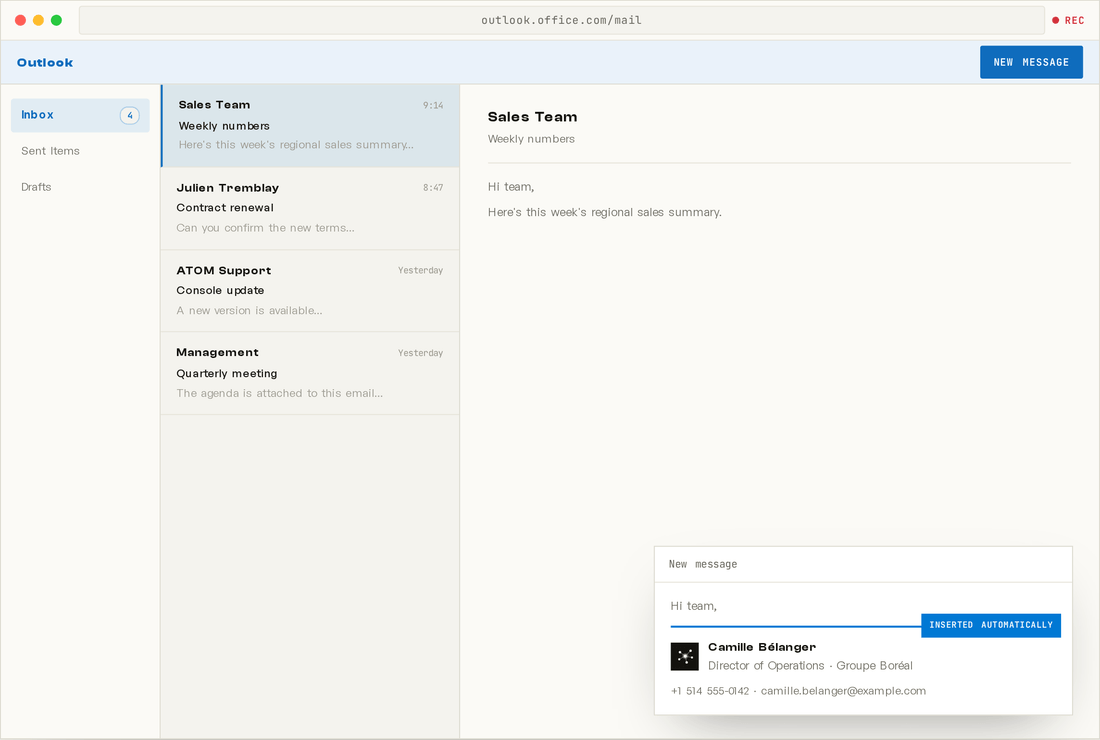
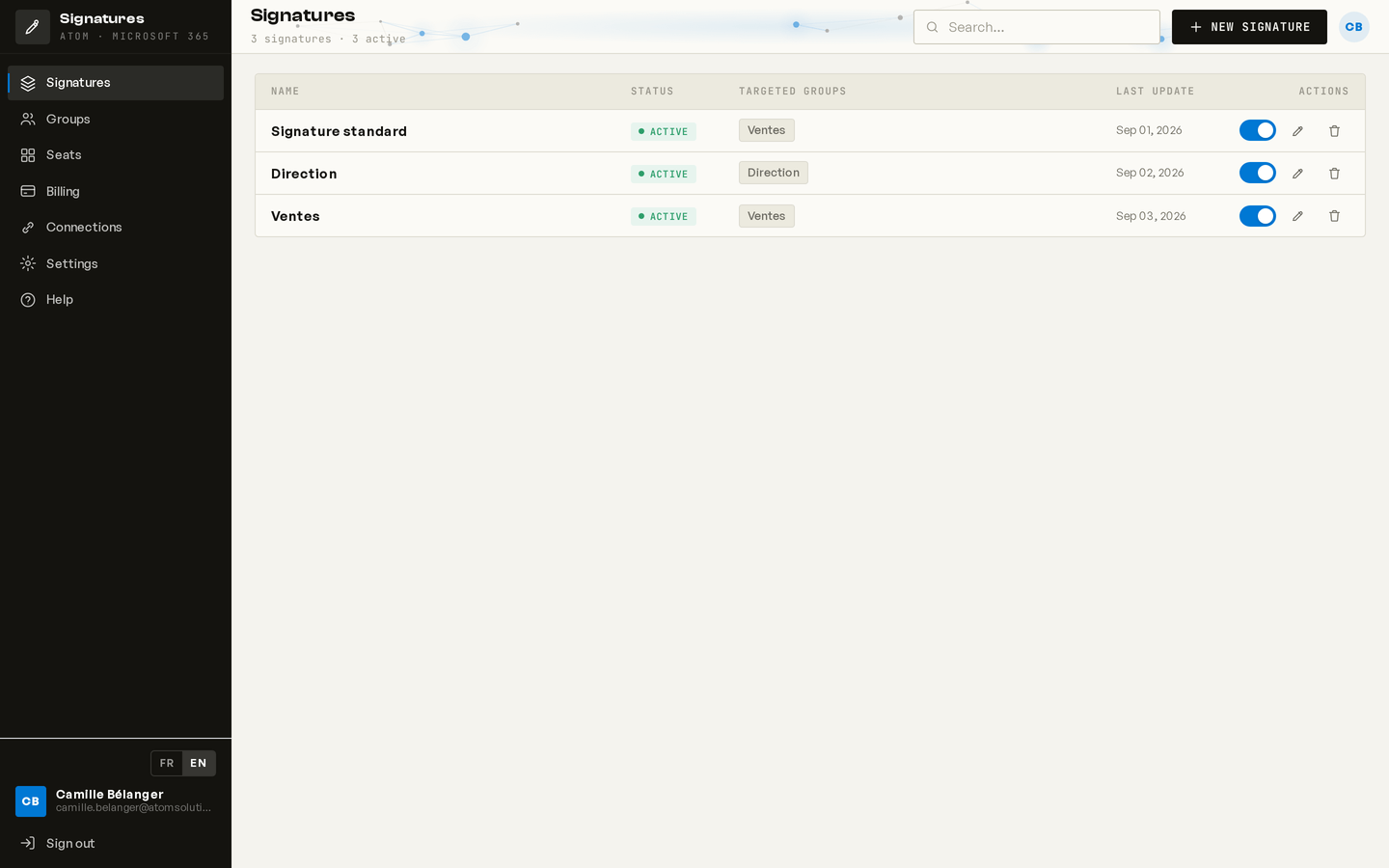
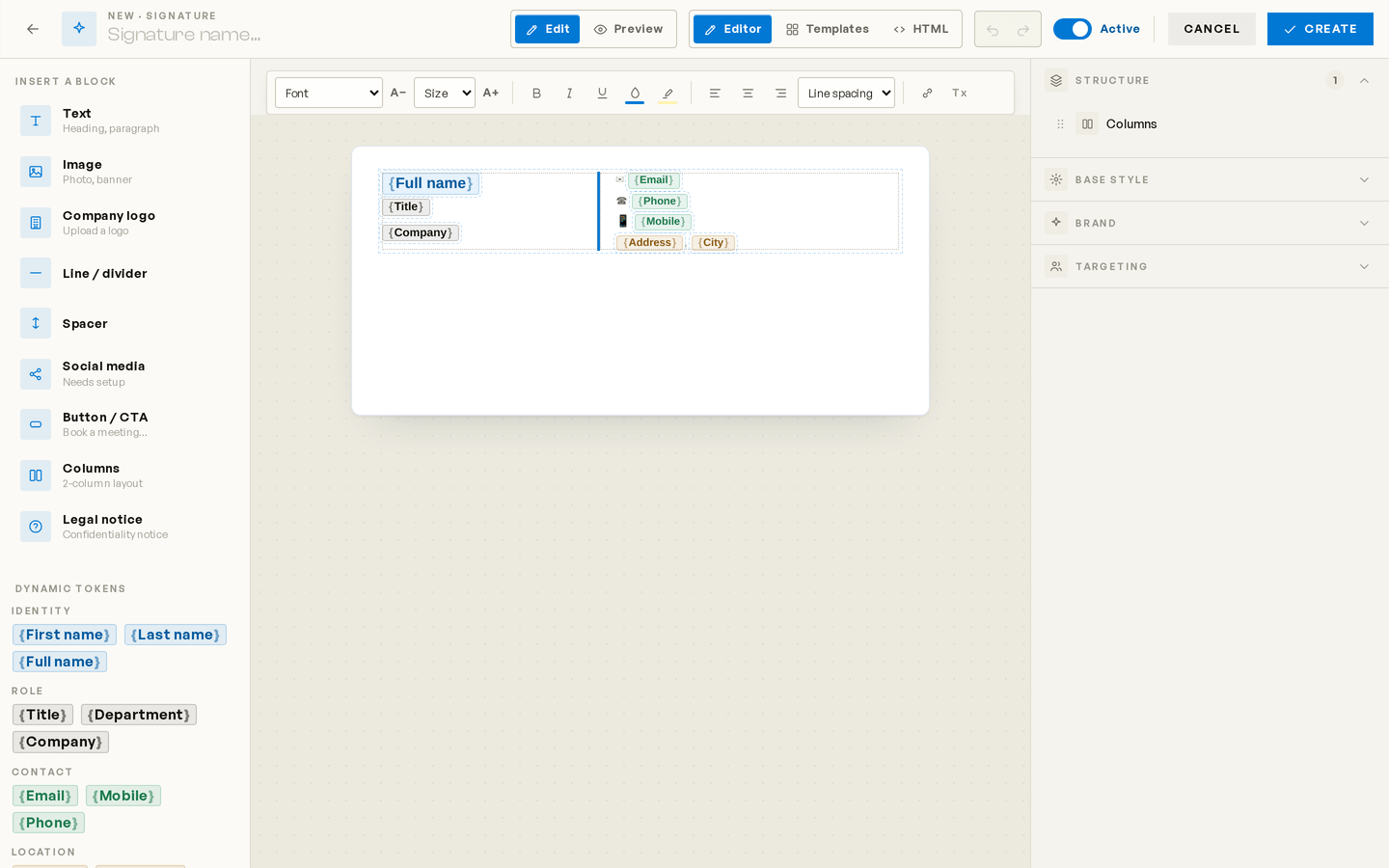
Demo: in the ATOM console, an admin creates a signature, inserts the {Full name} and {Title} tokens into the signature card, targets it to the Microsoft 365 group “Sales”, then opens Outlook where the signature is inserted automatically into a new message.
Everything you need so that everyone in your organization sends the right signature, without thinking about it.
A single admin consent is all it takes. No sideloading, no per-user install. The signature lands in Outlook on Windows, on the web and on Mac.
Inserted while composing and confirmed on send, without a single action from the user.
Every department gets its own signature. Priorities decide which one applies.
Fields populate straight from Microsoft Graph, including up to 15 extension attributes.
Logos, tables, colors and HTML. A preview rendered with real user data.
The same add-in applies the signature in Outlook on iPhone and Android — new messages, replies and forwards. Nothing for employees to do. No one gets left out.
From sign-in to the first signed email, with no heavy IT project.
An admin grants read-only access through Microsoft Entra.
In the visual editor, with dynamic tokens and group targeting.
Once, for the whole organization. Nothing to install on the user side.
Every email goes out with the right signature. You stop thinking about it.
No confusing tiers, no add-ons to unlock. A single, complete plan.
7-day free trial, then billed monthly. No commitment, no hidden fees.
Nonprofits, municipalities, hospitals & public sector $0.75 per user / month + tax
Contact us to apply
A high volume of users? Write to us at info@atomsolutions.ca.
Designed for Quebec's Law 25, with no compromise on privacy.
Processing records, tracked consent and the right to erasure, built in by design.
Database and files on a Canadian host. Nothing leaves the country, period.
Read-only access, no email content ever read, append-only audit logs and strict per-organization isolation.
Manage your entire client portfolio from a single console, at a preferred reseller rate — and your own signature stays free.
Outlook on Windows, on the web, on Mac, the new Outlook and Outlook mobile (iPhone and Android), through the add-in deployed for the whole organization. The signature is applied while composing the message.
No. The admin deploys the add-in once for the whole organization. Nothing for employees to do.
Read-only access to the directory (profiles and groups) via Microsoft Graph, in application mode. We never read any email content.
On a host in Canada, in line with Law 25. You keep control and the right to erase your data.
$1 + tax per user, per month, everything included. 7-day free trial, no commitment.
Anytime. On cancellation, your data is deleted according to our retention policy.
Set up consistent signatures for your entire organization in just a few minutes. 7-day free trial.